
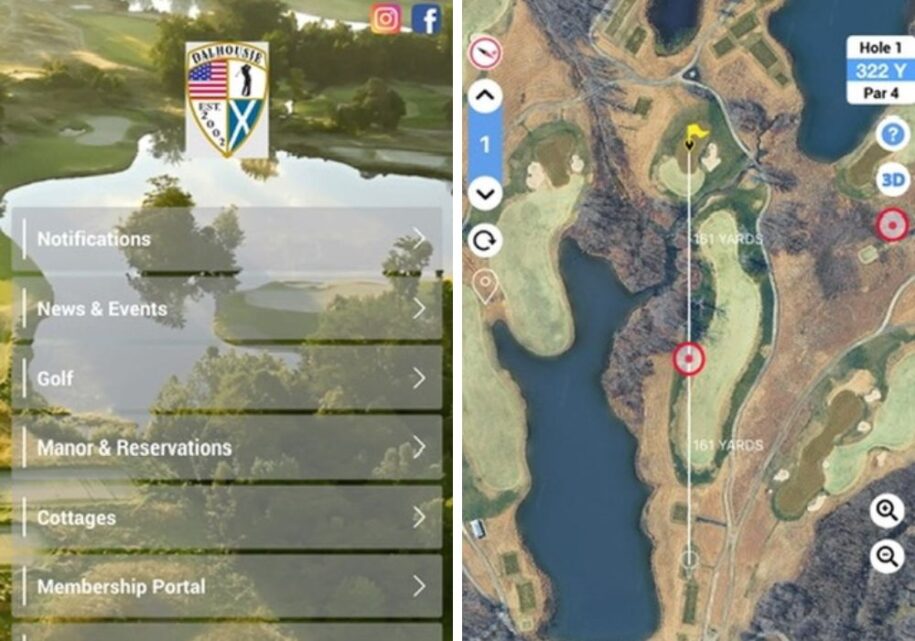
We’re excited to announce the launch of our brand-new Member Portal and Dalhousie Mobile App—designed to make staying connected with the club easier and more convenient than ever.
Whether checking upcoming events, viewing statements, or staying up to date with club news, everything you need is now right at your fingertips.
Features include:
- viewing statements and receipts in real time
- auto pay set up for Credit Cards or ACH
- pay now option
- Check your minimum usage
- view your upcoming tee times
- event calendar and registration
- cottage availability calendar
- range finder and digital scorecard on mobile app!
Sign up for the Member Portal:
-
Go to our Member Portal login page – click on “forgot password”
-
Enter your email and click “reset password”
-
Check your inbox. Follow the link to create your password.
Mobile App
-
-
Download for iPhone | Download for Android | Or search “Dalhousie Golf Club” in your phone’s app store
-
Select Member Sign In – Use the same login as the web member portal
-
If needed, select Password Recovery
- Be sure to 𝐭𝐮𝐫𝐧 𝐨𝐧 𝐚𝐩𝐩 𝐧𝐨𝐭𝐢𝐟𝐢𝐜𝐚𝐭𝐢𝐨𝐧𝐬 so you never miss important club announcements, event updates, and news from Dalhousie.
-
Must be the same email associated with your Dalhousie membership. If you need to update or add your email to your Dalhousie account, please email info@dalhousiegolfclub.
Leave a Reply